Reading a mini golf HUD to find every hole-in-one
James plays 3D Ultra Minigolf Adventures on his Xbox 360 and records it. He replays the same holes over and over, chasing holes-in-one. When he sits down to edit in Kdenlive, he wants to find every attempt at a hole and see how many strokes it took, without scrubbing through hours of video.
The game already puts both facts on screen. So I wrote a small Python tool that watches the recordings, reads the hole name and the stroke counter, and writes a Kdenlive marker for every attempt. James had three recordings, about three hours in all: one from the early hours of 16 September, one from that evening, and one from early on 17 September. The tool found 247 attempts in them. I checked 45 holes against the game’s own scorecards, and it got every one right.
Reading the text turned out to be the easy part. Most of the work was in the traps, and I’ll get to those after explaining how the tool works.
How the tool works
For the whole time you’re on a hole, the game shows its name in the top-left corner and your stroke count on a golf ball in the bottom-right. Nothing else on screen matters.
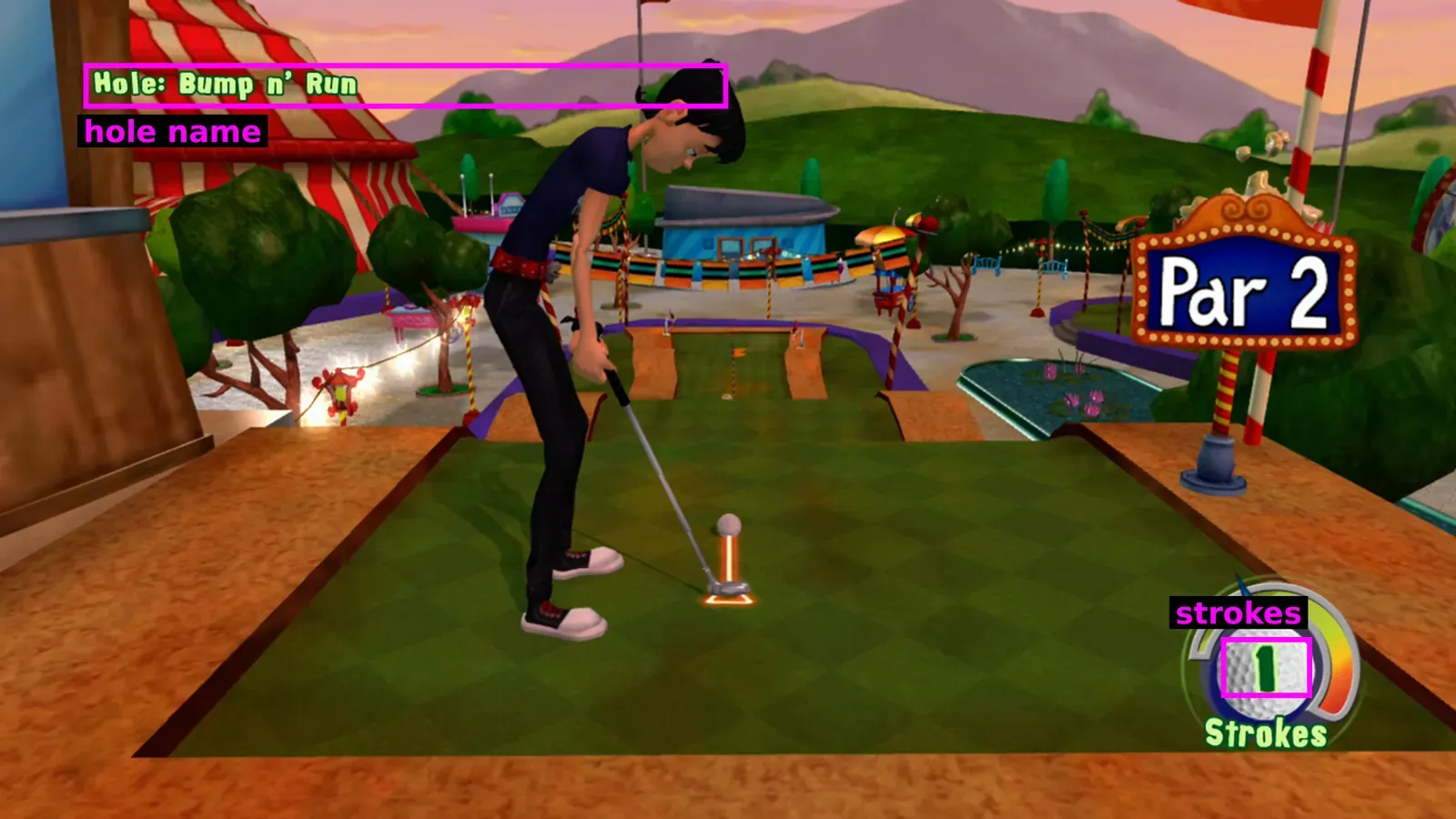
The tool works in four steps:
- Sample the video. It takes two frames per second with FFmpeg and keeps only those two small patches.
- Clean up each patch. It keeps only pixels in the game’s HUD colours, so the scenery disappears.
- Read the name and the number. The name goes through Tesseract, a free OCR engine. The number is matched against pictures of digits.
- Group the readings into attempts. A run of samples with the same hole name is one attempt. When James restarts a hole, the name leaves the screen while he goes through the menu, and the counter comes back at 0. That starts a new attempt. A number only counts once two samples in a row agree, and the attempt’s score is the last number that did.
Cleaning up: keep only the HUD’s colours
The hole name is pale green letters with a dark green outline. The stroke number is dark green on a white ball. Neither colour combination turns up much in the scenery, so the tool keeps only pixels that match. For the name, it keeps pale green pixels that sit right next to dark green ones.
The usual first step for OCR is a brightness threshold, and it fails here. Bright sky, sand and rock survive along with the letters.
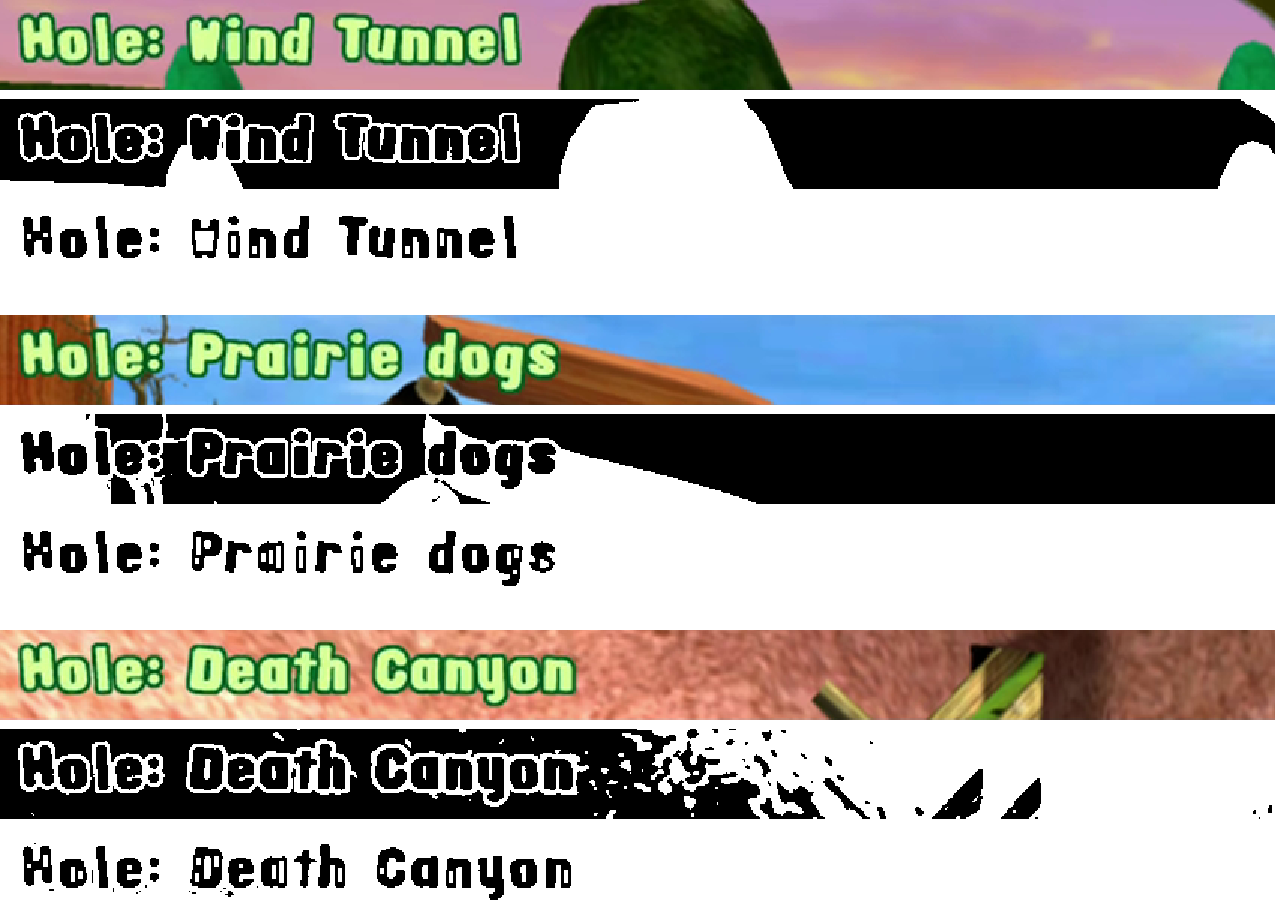
Reading names: choose from a list
Tesseract still garbles this chunky font. It reads the W as Y, G, S or H, so “Water Tower” comes out as “Yater Tower”. But the game only has 36 holes, and I wrote their names down by hand. The tool never has to spell a name correctly. It only has to pick the closest one from the list.
It scores each reading against every name with RapidFuzz, a fuzzy string matching library. A name wins only if it scores at least 70 out of 100 and beats the runner-up by at least 10 points. Otherwise the reading is thrown away. Some real examples:
| Tesseract read | Picked | Why |
|---|---|---|
| Planstcid | Planetoid | close enough, well ahead |
| Yater Tower | Water Tower | close enough, well ahead |
| Bump ay Ren one | nothing | Bump n’ Run and Bumper cars scored almost the same |
The list does most of the work. In a test of 450 name crops, Tesseract spelled only 259 exactly right, but 448 picked the right hole. The other two were thrown away, and none picked a wrong hole.
Reading numbers: compare against real digits
The stroke number doesn’t use OCR at all. I collected the digit shapes that appear in the footage, grouped the similar ones, and labelled each group by eye. That gave a reference picture for each digit. The tool scales each new shape to the same size and picks the digit it overlaps best.
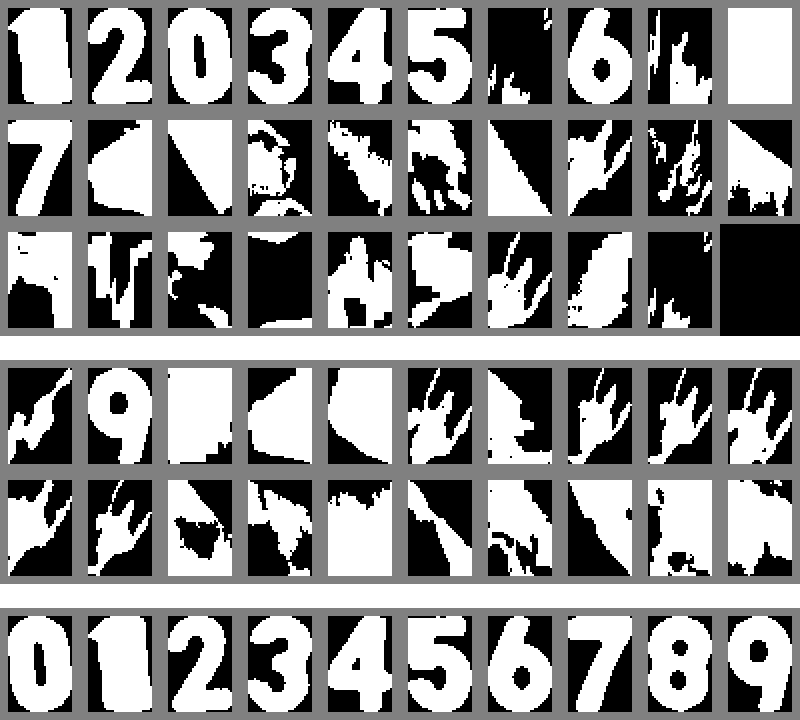
PyImageSearch’s credit card OCR tutorial uses the same trick with digits cut from a font sheet.
The traps
Each of these produced wrong markers that looked perfectly believable. I only found them by looking at the actual frames whenever a number seemed odd.
The free shot takes a stroke back
Sometimes during a hole a banner says “You got a free shot!” and the counter drops by one. My first rule said any return to 0 meant James had restarted the hole, so it split these attempts in two.
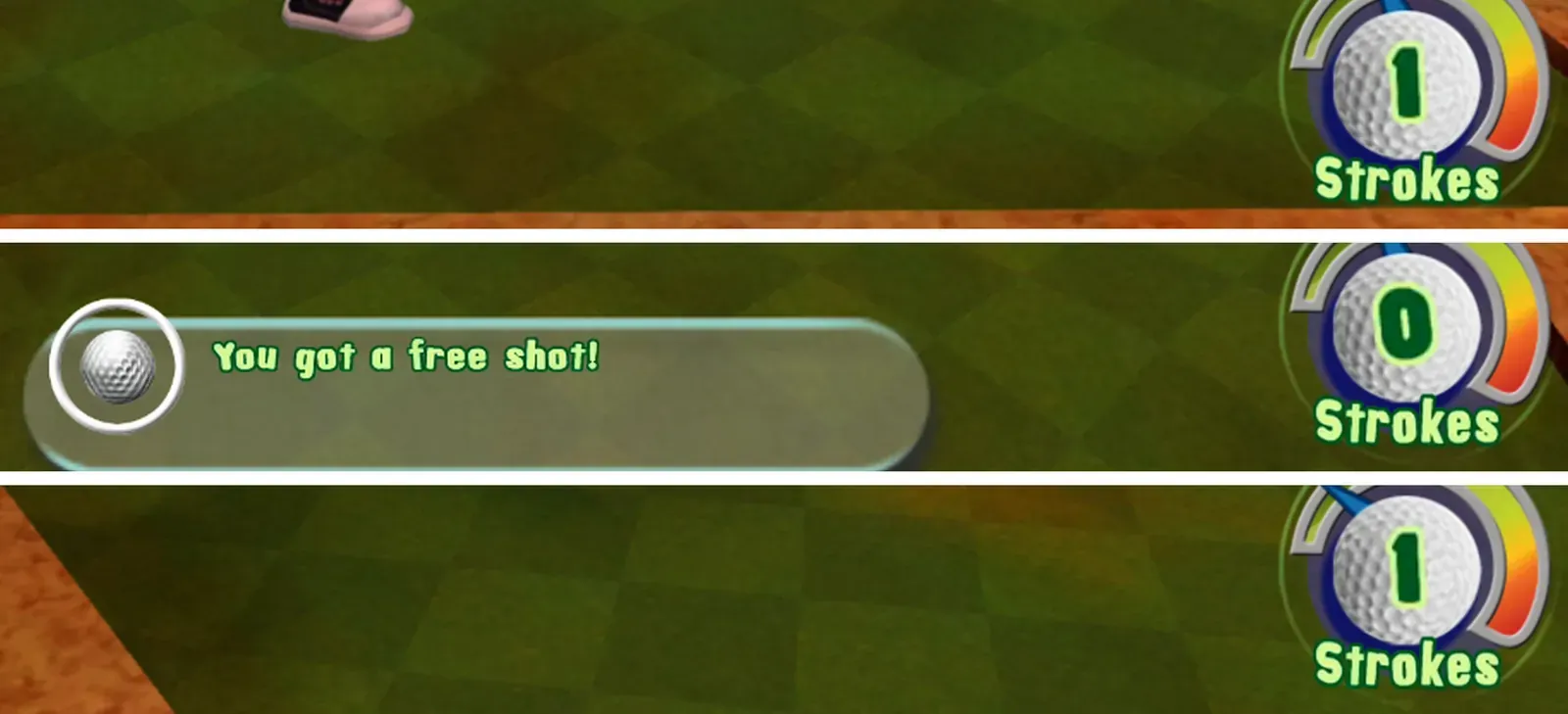
A real restart goes through the game’s menu, so the hole name leaves the screen for a few seconds. During a free shot the name stays put. That’s why the tool now treats a 0 as a restart only when the name was gone just before it.
Two recordings had washed-out colours
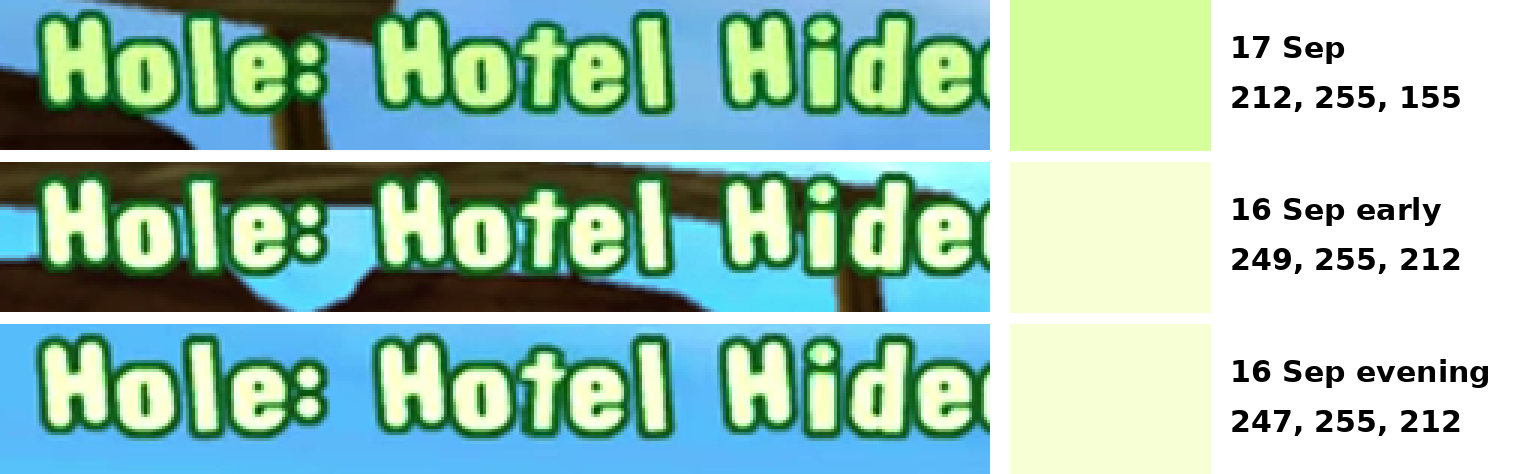
I tuned the colours on the 17 September recording, the first one I looked at. On the 16 September evening recording the letters were almost white. The pale green check failed, and Tesseract produced gibberish like “CE Be Ayr i Dan”. The dark outline hadn’t changed, so widening the accepted fill colour was enough to fix it. Measuring later showed the early 16 September recording is just as pale. I don’t know why those two look different.
Being too strict with names breaks attempts
I expected loose name matching to be the danger, with one hole mistaken for another. The damage actually came from being too strict. Some readings are badly garbled, and a strict rule throws them away. Lose enough of them and an attempt splits in two, disappears, or ends early and keeps an earlier, lower stroke count. Raising the minimum score from 70 to 80 did that to 11 attempts, all in the two pale recordings.
An 8 was read as 0
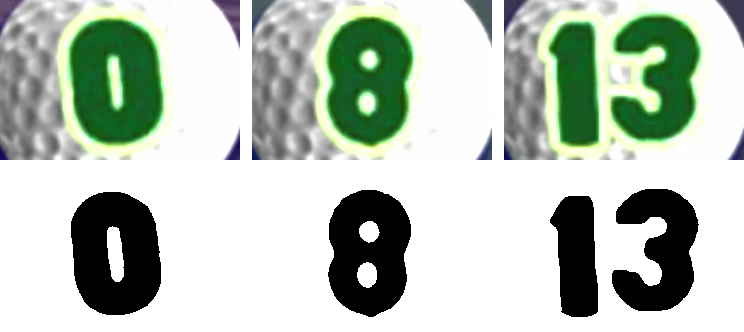
No 8 turned up in the recording I built the digit set from, so there was no 8 to compare against. An 8 has the same outline as a 0, so every 8 was confidently read as 0. It showed up in the evening recording as attempts where the counter went from 7 straight to 0. I cut an 8 from one of those frames and added it, which fixed them.
The same recording had another surprise. One attempt on Turntables went up to 13 strokes, so the tool now reads one or two digits side by side.
Checking against the game
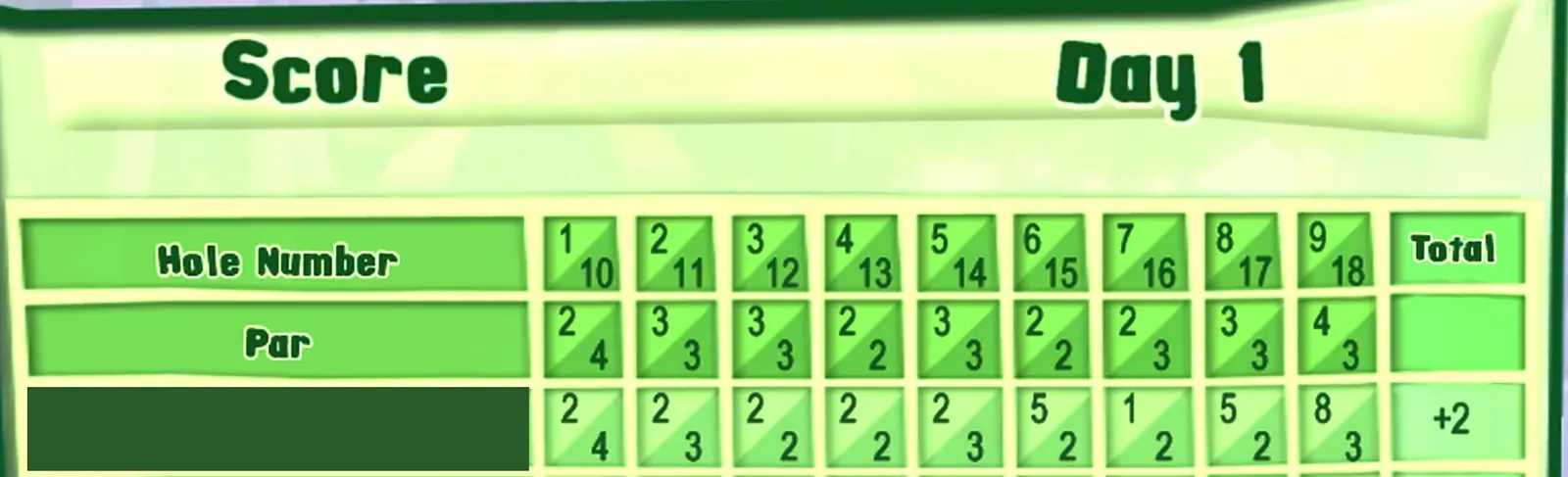
The game shows a scorecard after every nine holes, which is free ground truth. A card lists each hole once, so it can only be compared with a round where James didn’t retry anything. Both 16 September evening and 17 September start with a full 18-hole round like that, and the 17 September recording also has a card for the first nine holes of the next day. The tool matched all 45 holes, including the 8 on hole 9, Tipi Camp.
I haven’t checked the third recording against a scorecard.
There’s one limit the scorecards can’t catch, because it’s in the game’s own count. The counter counts strokes after any free shot is taken off, not swings. While researching this post I looked at the banner the game shows when a hole ends, and found six attempts that used a free shot and finished on 1. The tool marks them as holes-in-one. The game’s own end-of-hole banner calls them a Birdie or an Eagle instead.
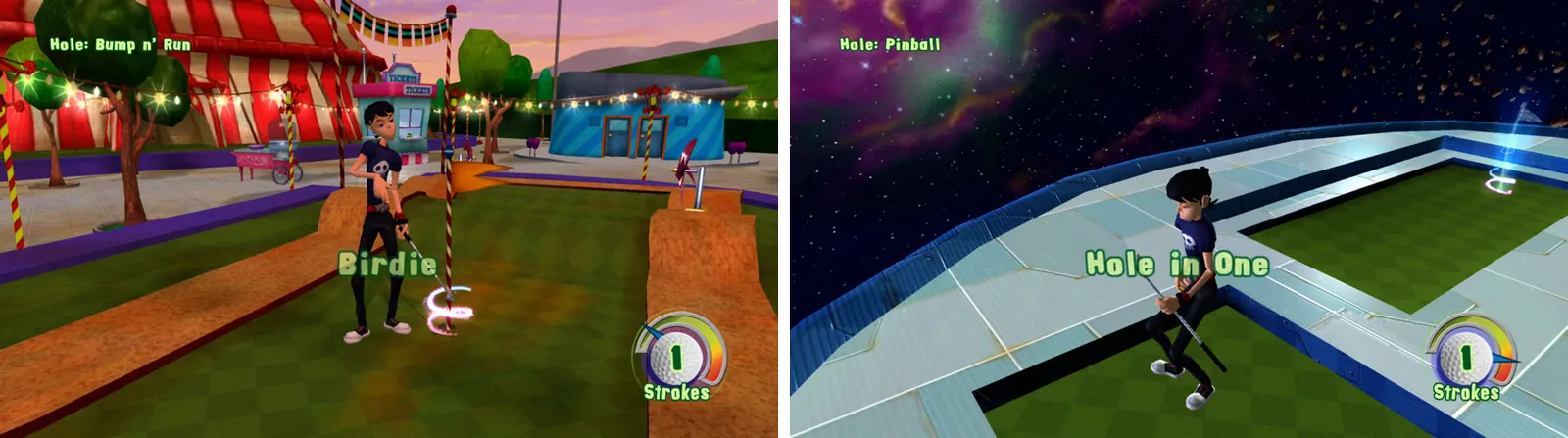
James is happy going by the game’s count, so the markers leave them as holes-in-one.
The markers
For each recording the tool writes a marker file that Kdenlive can import, plus a spreadsheet of every attempt. Each marker covers the whole attempt and is coloured by score: teal for 1 stroke, blue for 2, yellow for 3, orange for 4 and red for more. One entry looks like this:
{"pos": 32370, "duration": 1170, "comment": "Bump n' Run - 1 stroke (hole in one)", "type": 2}
pos and duration are in frames, so the project needs to be 60 fps like the recordings. type picks the colour, and 2 is teal. Kdenlive’s manual doesn’t document this format, so I read it from Kdenlive’s source code. Going by the source, you import it from the clip’s Markers list, under its settings menu. I never tried that myself, because James’ laptop was offline while I built this. James has since been through the markers and called them “surprisingly very accurate”.
If you want to do this for another game
- Read as little as possible. Crop to the HUD and keep only its colours.
- Choose from known answers. A list of names and a set of real digits beat reading text from scratch.
- Believe a value only when it repeats.
- Check against something the game tells you, and look at real frames whenever a number seems off.
Others read game HUDs too. AutoSplit compares screen regions against reference images to split speedrun timers. Valoscribe turns Valorant broadcasts into data, matching digits against pictures and using Tesseract for text, much like this tool.